Lesson 6 - INSERT INTO

Lesson Overview
Use SQL to create database tables and keep records of student test scores by using the INSERT INTO keywords.
Adding Data with INSERT INTO
The INSERT INTO statement allows you to add new records to a table. You can insert single or multiple rows at once.
Task: Create a Student Scores Database
Let's create a database to track student test scores:
- First, view the database structure:
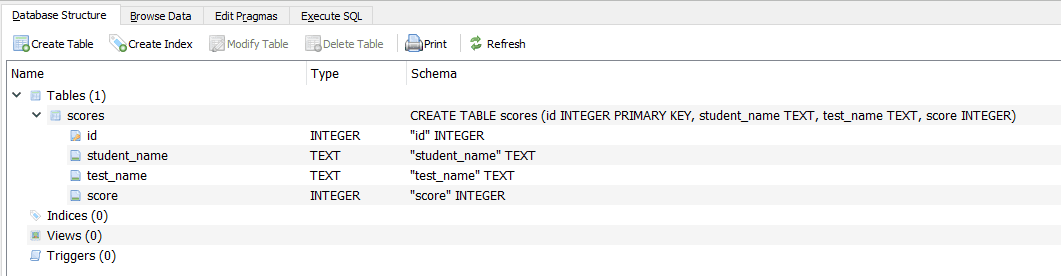
- Insert a single student record:
INSERT INTO students (name, score) VALUES ('Alice Smith', 95)
- Insert multiple student records:
INSERT INTO students (name, score) VALUES
  ('Bob Johnson', 87),
  ('Carol Williams', 92),
  ('David Brown', 78);
Understanding INSERT INTO Syntax
The basic syntax for INSERT INTO is:
INSERT INTO table_name (column1, column2, ...)
VALUES (value1, value2, ...);
You can specify which columns to insert data into. Any columns not specified will use their default values or NULL if no default is set.
Lesson Summary
In this lesson, we've learned how to use INSERT INTO to add new records to a database table. This is a fundamental operation for populating databases with data.