What Does an Algorithm Sound Like?
Building a giant acoustic LED matrix using a Raspberry Pi, 480 origami cubes, and a sheet of plywood.
You really just need to hit play on the video above to hear the glorious retro bleeps and bloops for yourself.
I've taught computer science for a while now, and there are certain algorithms that students just find tricky to grasp. Sorting algorithms and pathfinding routines like Dijkstra's or A* can feel abstract when they are confined to boxes on a screen or dry scribbles on a whiteboard. Over the years, I've tried everything to make it click. I've had students physically moving around the room and manipulating card decks to act out sorts step by step. It helps, but it doesn't always stick.
Then, one day in class, a student showed me an online visualisation that mapped sorting algorithms to shrill, synth-like noises. It instantly gripped the room. The students were completely transfixed, listening to the shape of the data as it ordered itself. From that exact moment, the goal was set: I needed to build a physical LED matrix for my classroom wall that could do exactly this.
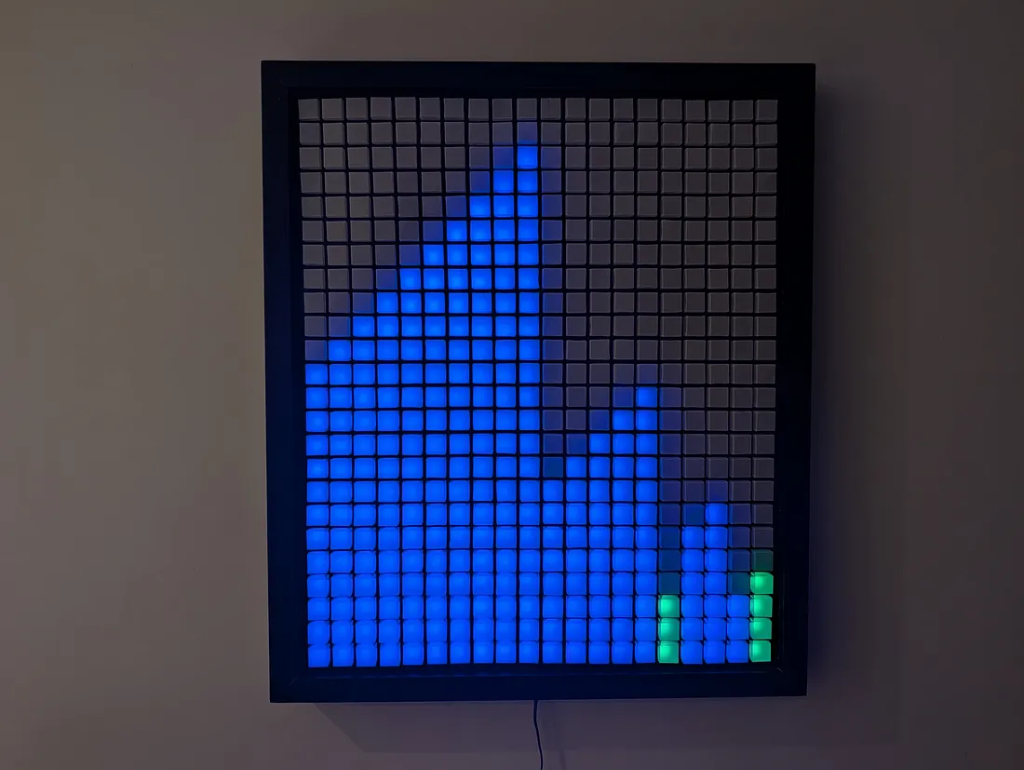
The Hardware & Acoustic Chassis
The display itself is a 24×20 grid made up of 480 individually addressable WS2815 LEDs. I specifically chose these because they run on 12V, which prevents the dreaded voltage drop across a matrix of this size, and they feature a backup data line in case a single pixel gives up the ghost.
Driving the show from behind the scenes is a Raspberry Pi Zero 2 W, paired with an IQAudio DigiAmp+ amplifier HAT to handle the sound.
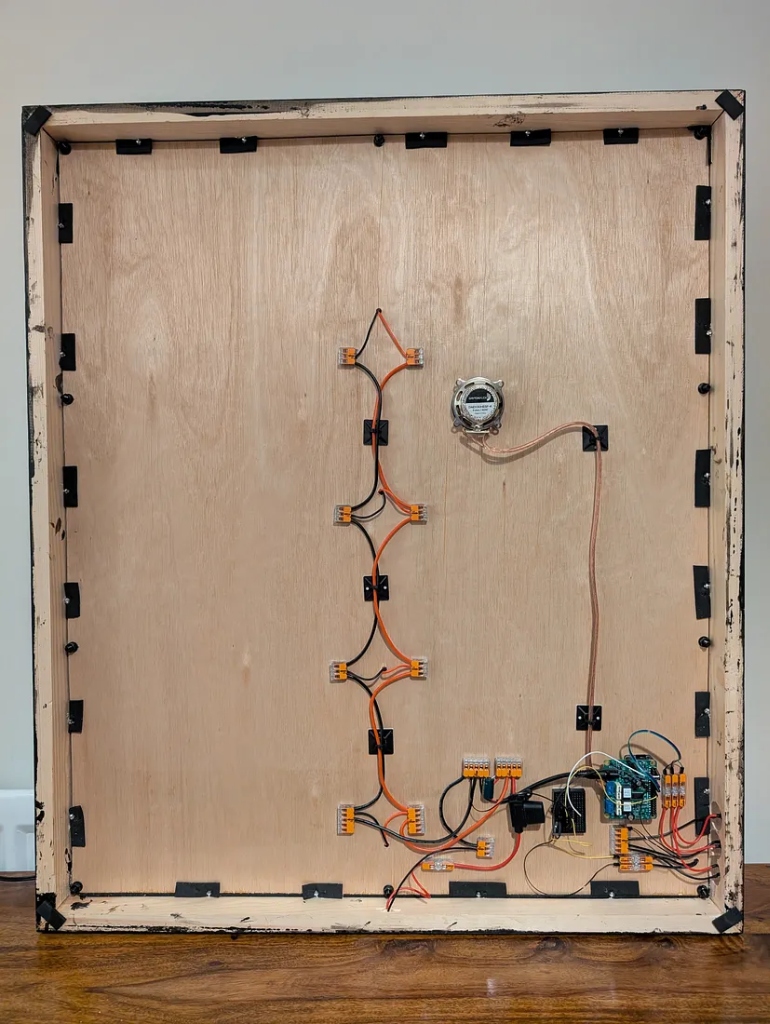
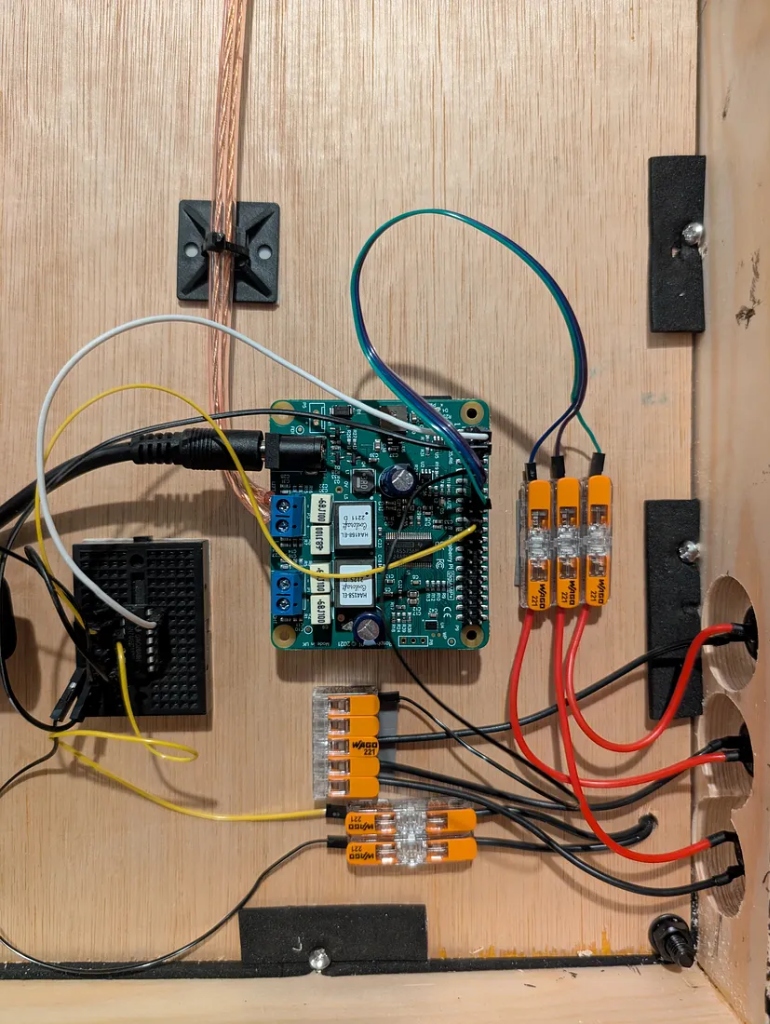
For the audio output, I wanted something a bit different from standard speakers. I used a Dayton Audio sound exciter, which mounts directly to the plywood chassis and turns the wood itself into a soundboard.
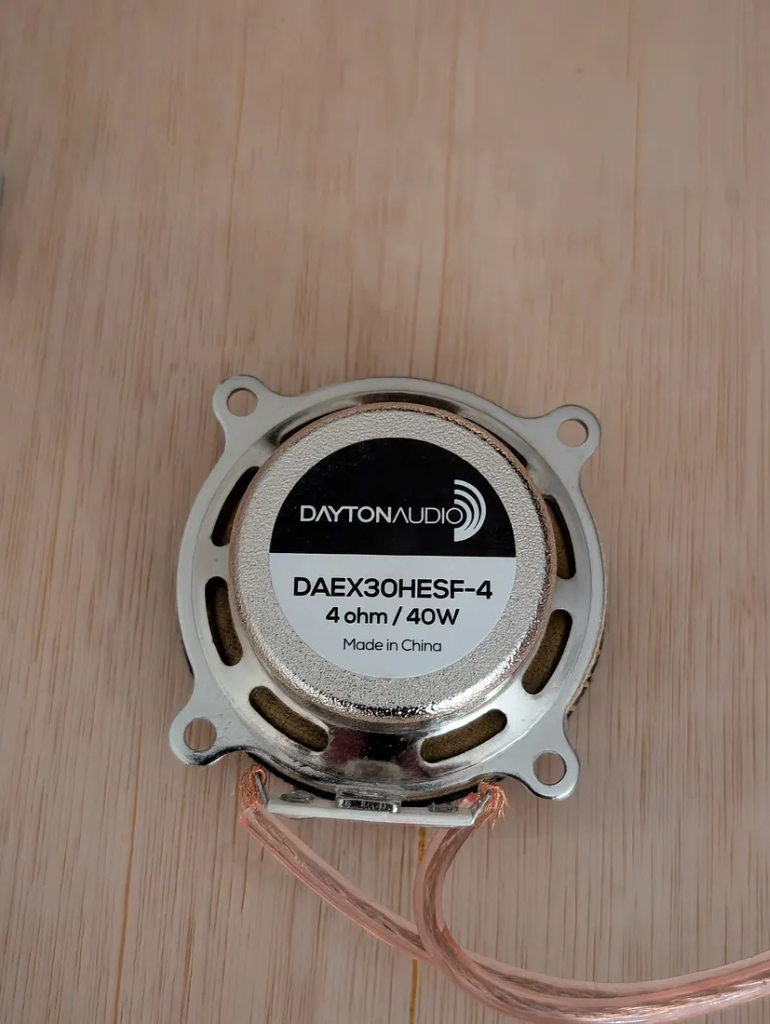
If you watch audiophile builds on YouTube, creators go to extreme lengths to craft the "perfect" setup with these drivers. They experiment with exotic composite materials, carefully isolate joints, and suspend panels to minimise resonance. By gluing a cheap exciter directly to a rigid sheet of plywood and screwing it tightly into a heavy wooden frame, I had basically done everything possible to make the sound worse on paper.
Yet when I turned it on, the result was stunning. It has this warm, resonant, retro arcade character that fits the visual aesthetic perfectly.
Vellum Origami Cubes
Direct LED light can be harsh on the eyes. To diffuse each point and give the display a clean, blocky retro look, I used a material called vellum, a semi-translucent paper.
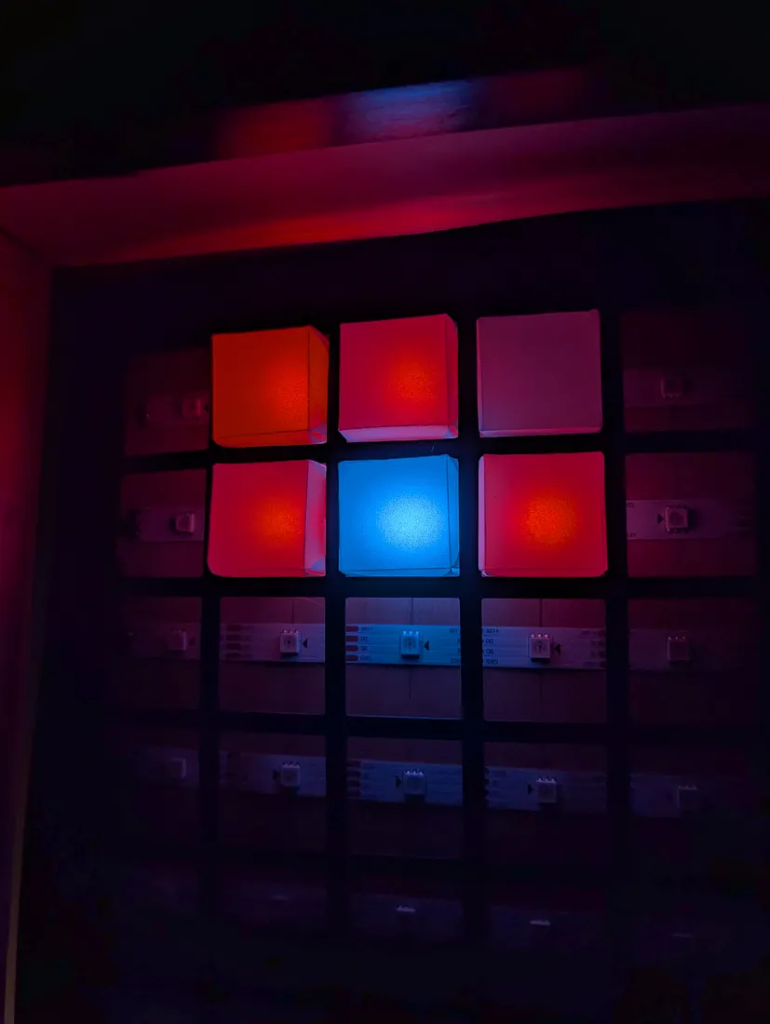
Using my Cricut machine, I batch-cut the vellum into precise squares, which I then folded into 3D cubes designed to slot into an open-back card grid.
Balancing a busy school term with family life leaves little room for marathon workshop sessions, so I tend to design projects with a high degree of repetition that I can easily pick up and put down.
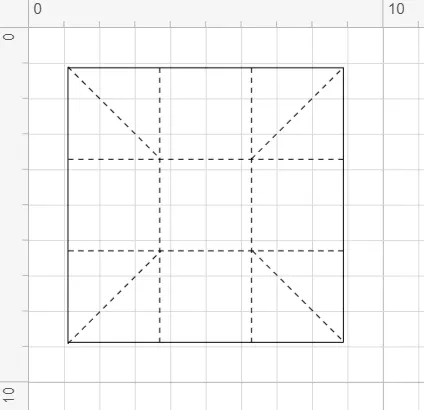
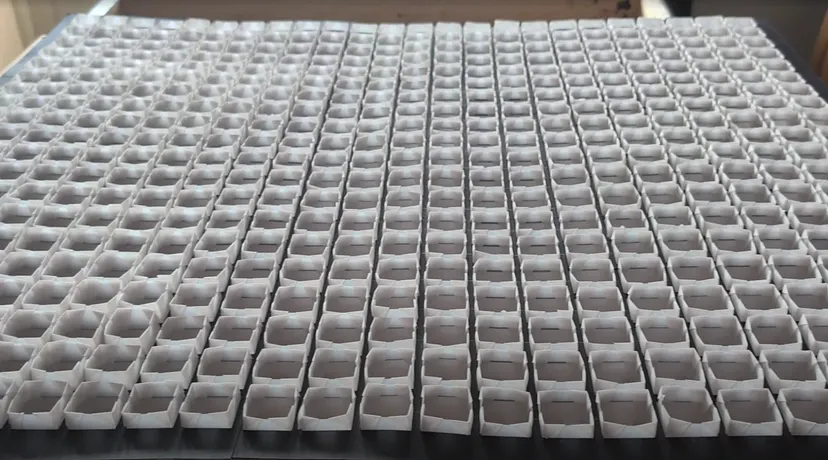
It took me a minute or two to fold a single cube. With 480 pixels in the matrix, I needed 480 cubes. Over a span of a few months, I folded them on the sofa in the evenings while watching TV. It was slow progress, but immensely satisfying once they were all slotted into place.
Translating Data to Sound
The sonification logic is simple but hypnotic.
- Sorting Algorithms: Each value in the array is mapped to a specific pitch. The taller the bar, the higher the pitch; the smaller the bar, the lower the pitch. When the algorithm compares or moves a value, that pitch plays. My personal favourite is the Cocktail Shaker Sort, which sweeps back and forth with a rhythmic, predictable energy that makes its bidirectional nature instantly audible.
- Pathfinding Algorithms: The pitch represents distance from the root node. As Dijkstra's or A* explores nodes further away from the source, the rising frequencies create an acoustic sense of spatial expansion across the grid.
The Programming Dilemma: AI & The Pseudocode PDF
To implement the sorting routines, I referred back to the original source. Timo Bingmann, the creator of the audible algorithms visualisation that inspired this project, put together a helpful PDF containing the exact pseudocode for dozens of sorting routines.
Instead of manually translating each one into Python line by line, I fed this PDF to Gemini to interpret the logic and generate the implementations.
I have to admit, there is a little bit of maker's melancholy in doing that. Writing the core algorithmic logic used to be the fun puzzle of physical computing. But when someone has already done the hard work of designing and documenting the algorithms, leveraging modern AI tools to bridge the gap lets you focus on building the physical interface and hardware integration.
Also, just to be completely honest, whenever I talk about writing this code and catch myself saying "we," I mean me and Gemini. In fact, I am not entirely sure I can get away with using the singular "I" on my project write-ups anymore without a slightly guilty conscience.
So, once we had the logic sorted, there was the small matter of performance. To keep the Pi Zero running smoothly without latency, we pre-generated a retro scale of 24 WAV files. As the algorithms run on their own threads, they trigger these files asynchronously over Pygame, delivering zero-latency retro sound without tanking the processor.
Networking & The Web Interface
Managing a headless Pi at school is usually a struggle. On my previous builds, like my binary clock and my hexadecimal display, I had them broadcast their own local SSID. But connecting to them meant dropping cellular data on my phone just to send a command, which was always fiddly and prone to dropping.
This time, I used Tailscale, an encrypted virtual private network that links devices together on a secure mesh network. My laptop, my phone, and the wall-mounted Pi Zero all share the same private Tailnet alongside my home server.
To control the matrix, I built a custom Next.js web dashboard hosted on a private route of my website:

- Tapping an action on the dashboard sends a lightweight MQTT message.
- My home server acts as the broker, routing the command across the encrypted Tailnet.
- At school, I turn on my phone's hotspot. The Pi Zero connects automatically, picks up the MQTT payload from the Tailnet, and updates immediately.
This setup bridges a public web app to a firewalled school environment without exposing ports or fighting school network filters.
Playgrounds, Timers, and Classroom Tools
Once the core visualiser was running, I added a few extra modes for day-to-day teaching:
- Arithmetic Trainer: Generates visual maths challenges on the grid and reads them aloud using text-to-speech with randomised phrasing — along with animated support.
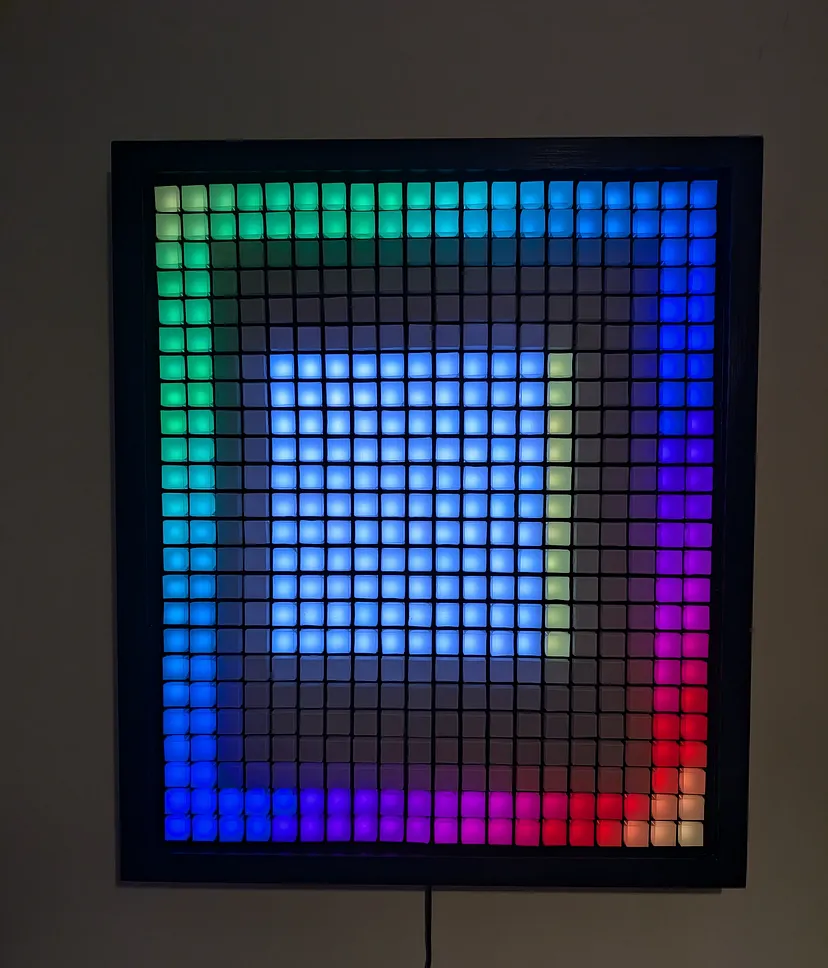
- Classroom Timer: A bold visual countdown for timing tasks and activities in class.
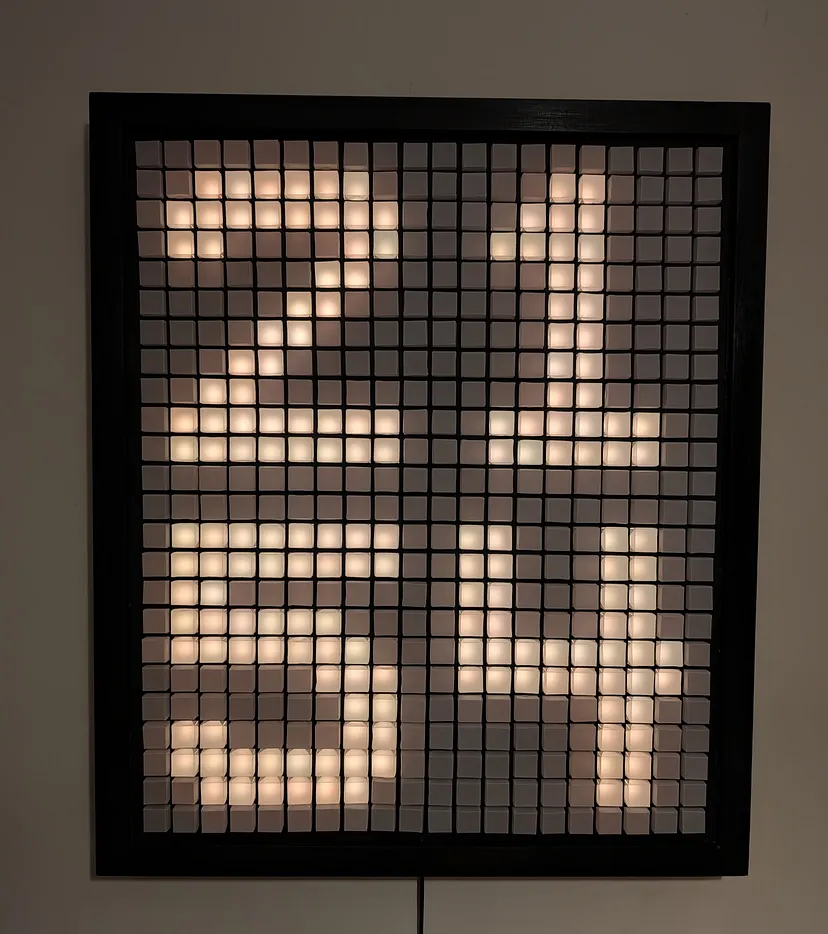
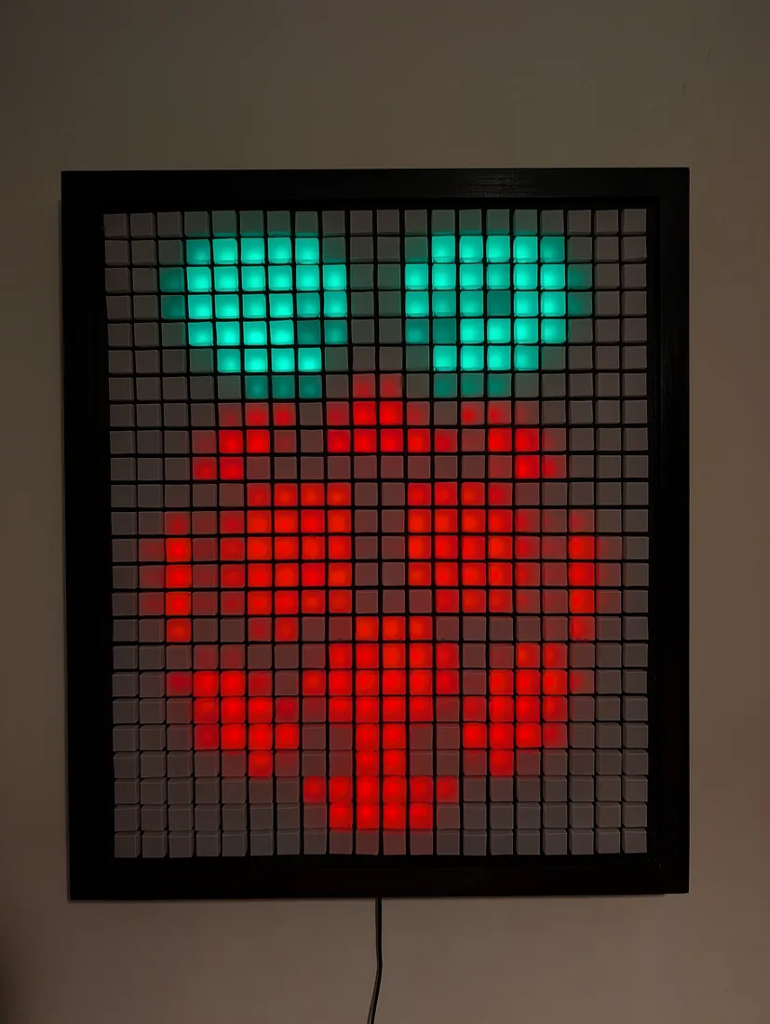
- Image & GIF Player: A feature in the web dashboard allowing static pixel art and animated GIFs to be uploaded and mapped directly to the matrix in real time.
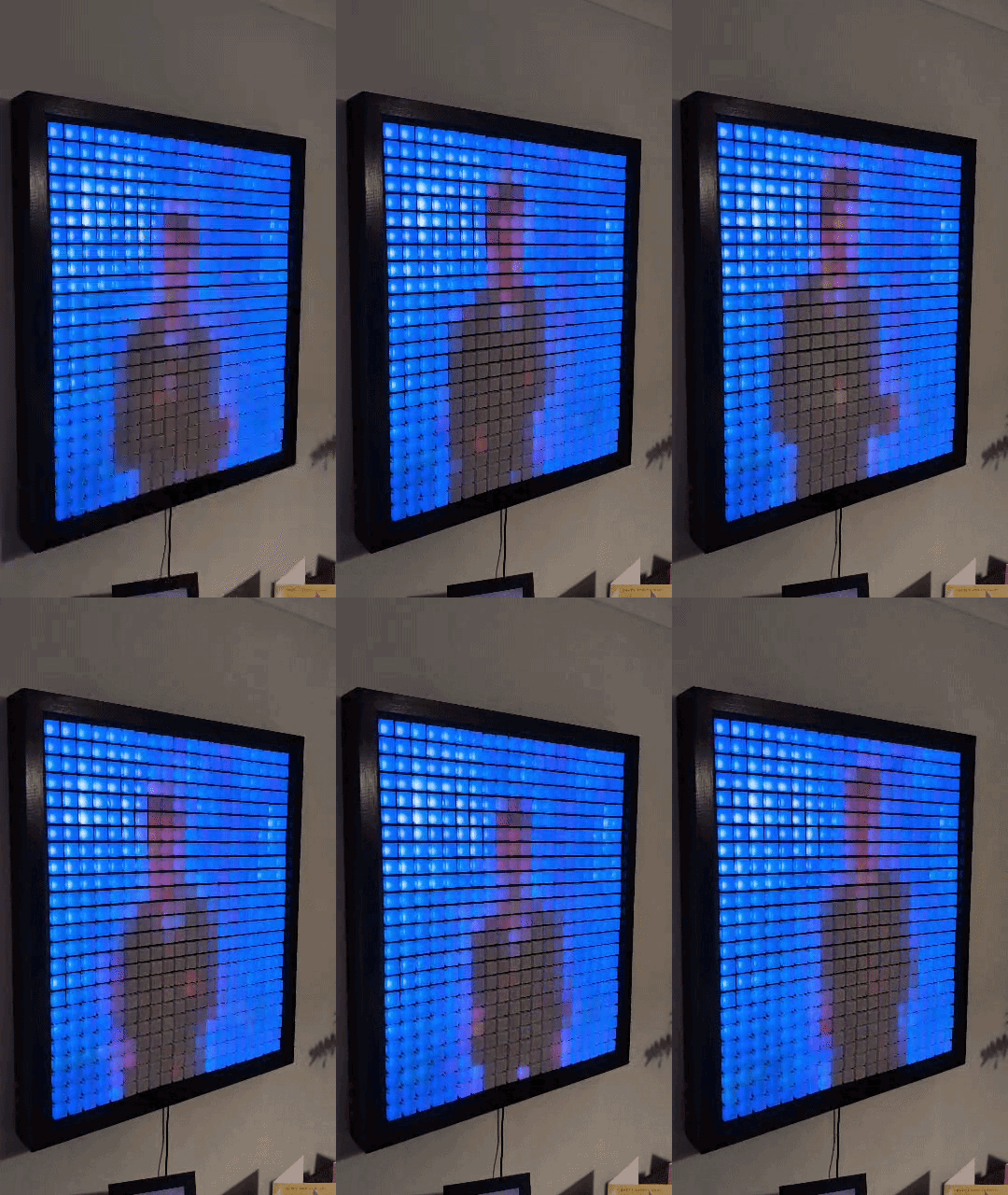
- Playground Mode: This is a sandbox where I can run custom Python scripts to push animations directly to the display. Looking at a giant, glowing pixel grid on the wall, it is absolutely crying out for Tetris, right?
Down the line, I would love to develop this mode further by hooking up physical game controllers so students can play games right on the wall. Even better, my ultimate goal is to let students write their own Python scripts and submit code to see their creations light up the room.
At the end of the day, this was simply a deeply fun project to piece together, blending woodworking, papercraft, networking, and code into one build.
More than just a neat piece of classroom tech, my real hope is that it demystifies these concepts and sparks genuine curiosity. If hearing the frantic rhythm of a quicksort or watching a pathfinder crawl across a glowing grid makes even one student look at computer science a little differently, all those evening hours spent folding tiny paper cubes will have been completely worth it.
If you want to build your own or adapt the code for your classroom, the entire project is open source on GitHub.View on GitHub