My Son Is Now a Proper Generation Alpha Latchkey Kid
I built this glowing wall tracker to show my son we're on our way home
The modern day well connected latchkey kid
The catalyst for this project was my son reaching the "latchkey kid" age. He's old enough to no longer need wraparound care but not quite old enough for us to stop worrying. He's often the first to arrive home, and for his birthday, we gave him a house key and his first phone. With this tracker on the wall, my son is a proper generation alpha latchkey kid.
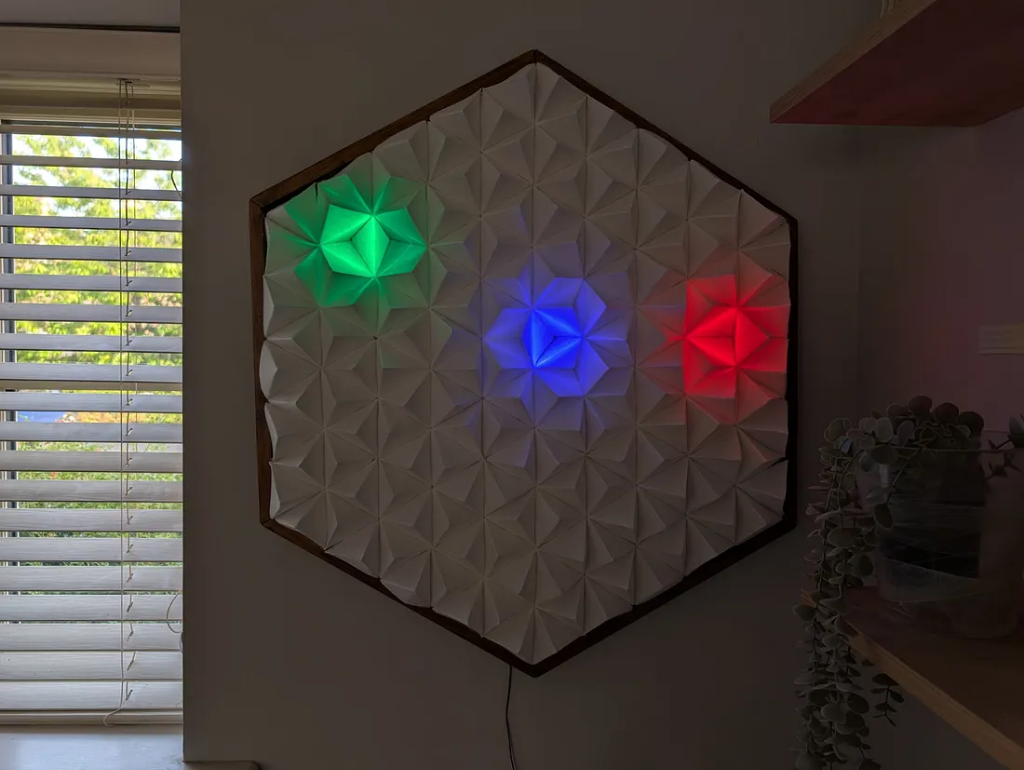
We could have used standard solutions like AirTags or family location-sharing apps, but there's something about them I find a little creepy. Like anything app-related, they are designed to pull you in, creating unconscious, dopamine-fixing habits with every screen unlock.
I'm aware that my own generation's fixation with tracking can be alarming, but we're in a sweet spot as a family. My son is genuinely reassured by knowing he is "tracked" and being able to see where we all are. So, I figured if we were going to embrace our personal brand of neuroticism, we might as well make it aesthetic and fun.
Taking Back Control
I've built my fair share of LED gadgets, including a 'TEA Please Beacon' that signals when I am almost home. But relying on third-party services like IFTTT always felt a bit like building on rented land. For this project, I wanted to own the entire technology stack.
In Our House A 'Tea Please' Call Never Goes Unanswered
Why ask for a cup of tea the boring way?
The solution was to bring everything in-house. I set up a Raspberry Pi to act as my very own MQTT broker and took the plunge into Node-RED to orchestrate the logic.
The system works like this:
- Each family member's phone runs the OwnTracks app, which periodically publishes their location to my private MQTT broker.
- Node-RED, running on the Raspberry Pi, processes this location data.
- Based on the location, Node-RED calculates which lights to activate and publishes that information back to the MQTT broker.
- A Raspberry Pi Pico connected to the LEDs subscribes to this information and updates the light display in real-time.
This local-first setup ensures our location data remains private and the entire system is under my control.
If you're interested in a more in-depth technical overview of how this technology communicates, check out my previous story:
Building a Raspberry Pi 5 Family Location Tracker with Node-RED, Mosquitto, and OwnTracks
A journey into home automation and real-time location sharing, with a healthy dose of head-scratching and eventual…
From Foam Board to Glowing Pyramids
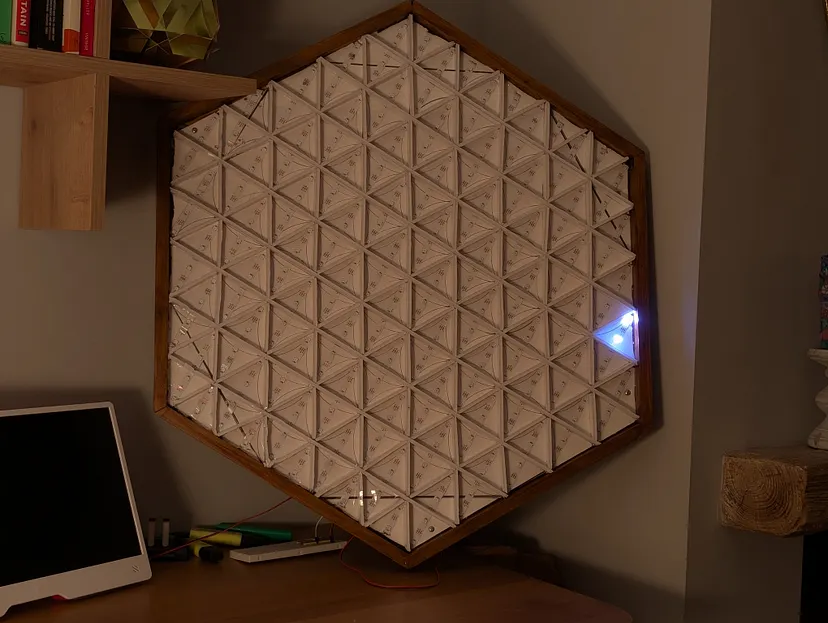
This project was as much a craft project as it was a technical one. The display is a large hexagon composed of 150 individual triangles, each containing two programmable WS2812 LEDs.
I started by crafting circles on 5mm foam board with a compass, dividing each into six correctly sized triangles. After a lot of careful cutting and assembly, the base structure was complete.
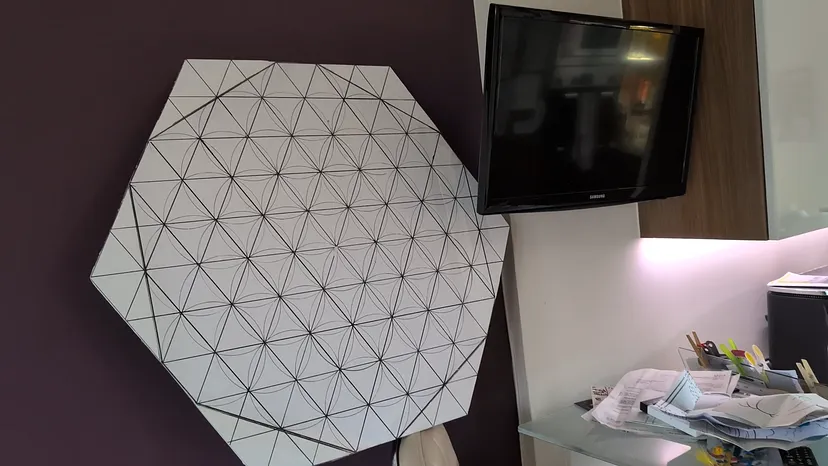
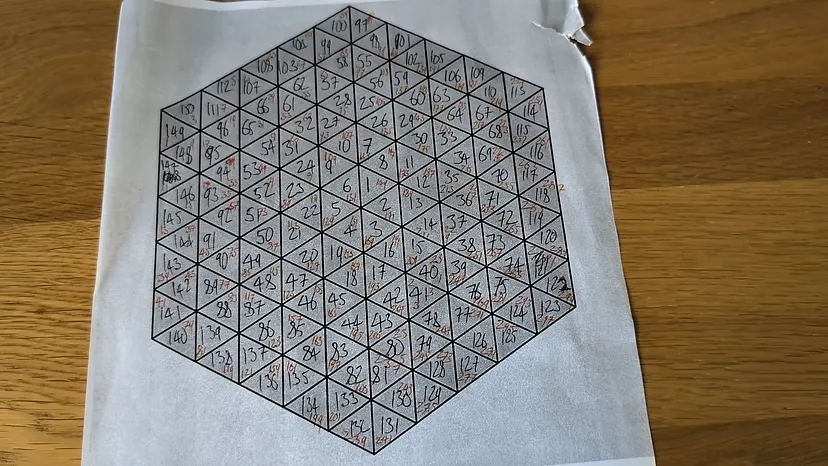
While the LED strips themselves run in simple vertical and horizontal lines, I meticulously mapped each of the 300 individual LED addresses to their corresponding triangle. This logical mapping allows me to program concentric hexagonal patterns, ignoring the physical straight-line layout of the strips.
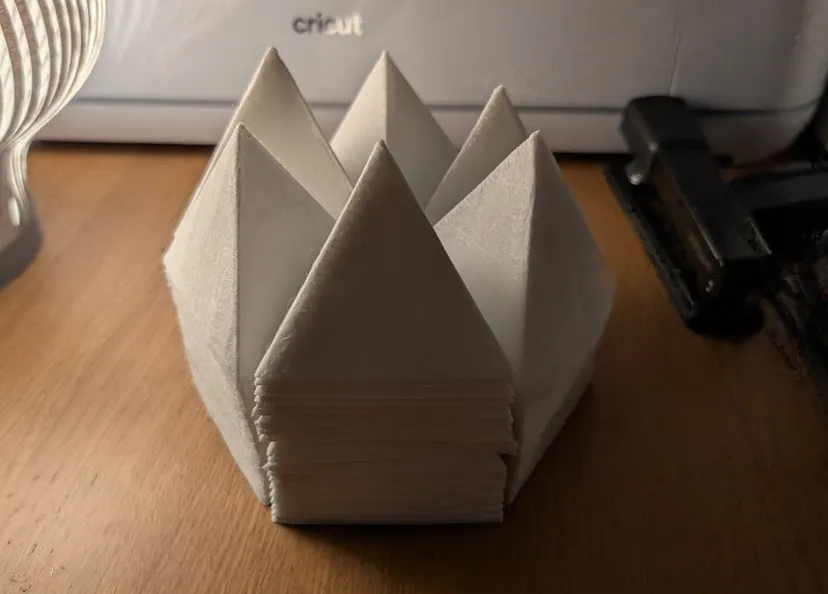
For the light diffusers, I used a 5-metre roll of Lutradur fabric. I used a Cricut machine to cut 150 trapezium shapes, which I then sewed into pyramids, leaving the bottom open for the LEDs. My initial plan was to sew all 150 pyramids into groups of six, but after several months, I pragmatically switched to stapling the final hexagons together.

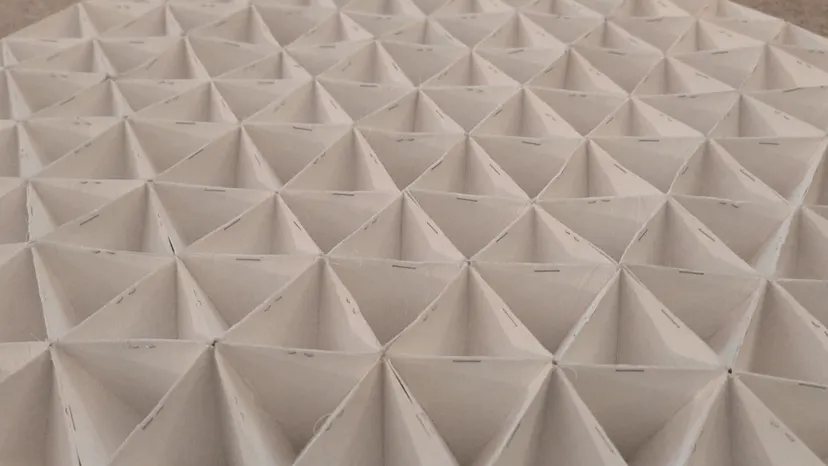
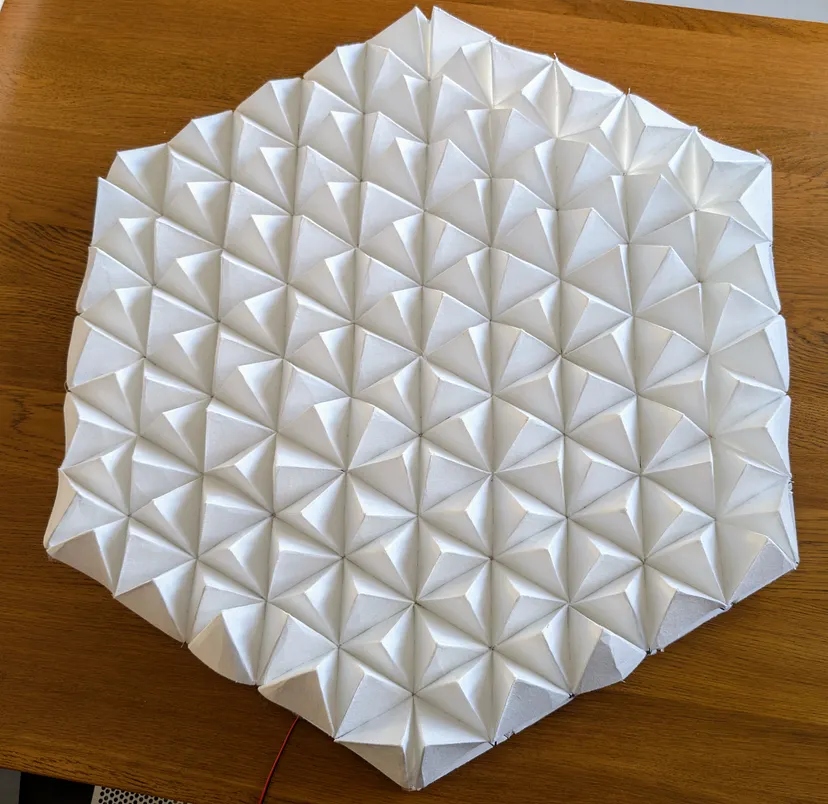
A key lesson came during testing. Placing the pyramids directly over the LEDs created harsh hot spots. To improve the diffusion, I added foam board dividers inside the base, creating more depth for the light to scatter. The difference was immediate and dramatic.
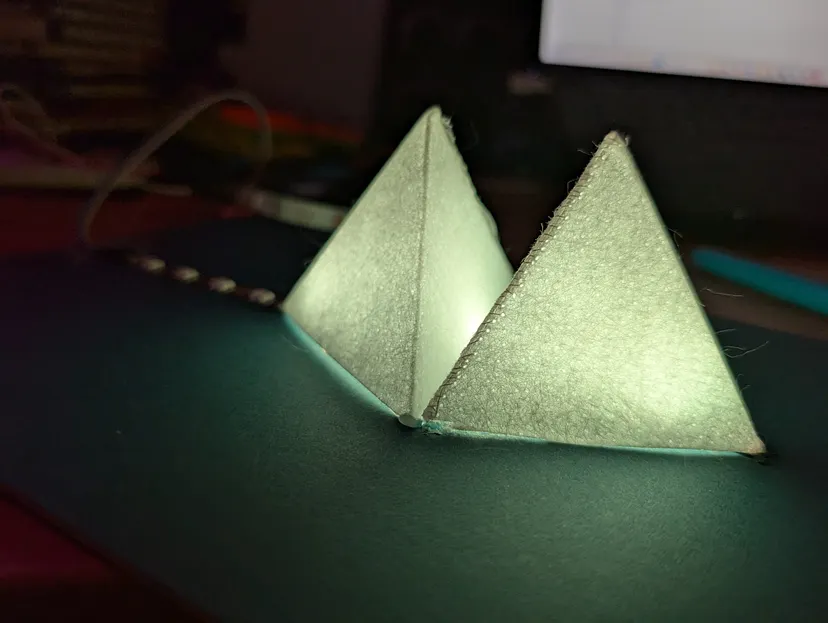
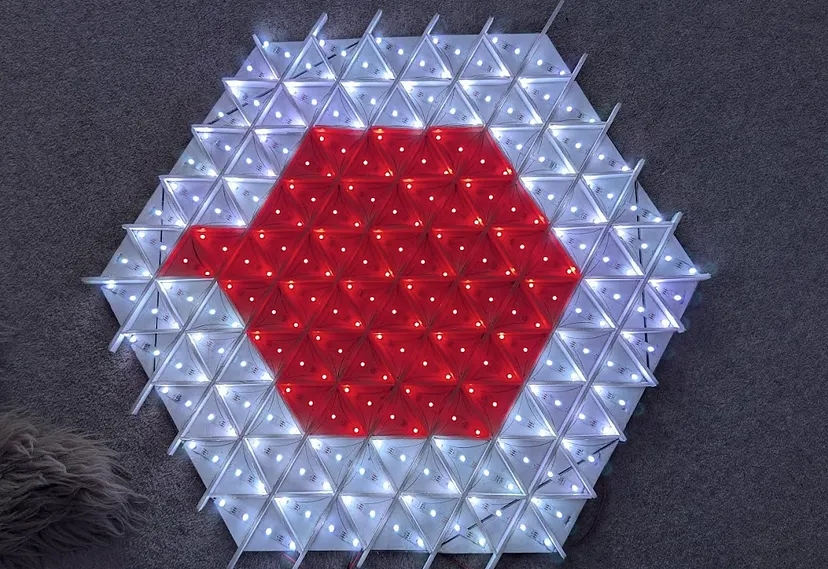
The final piece of the build was a clumsy but effective wooden frame, cut with a mitre saw set to very nearly 30 degrees.
Mapping the Real World to LEDs
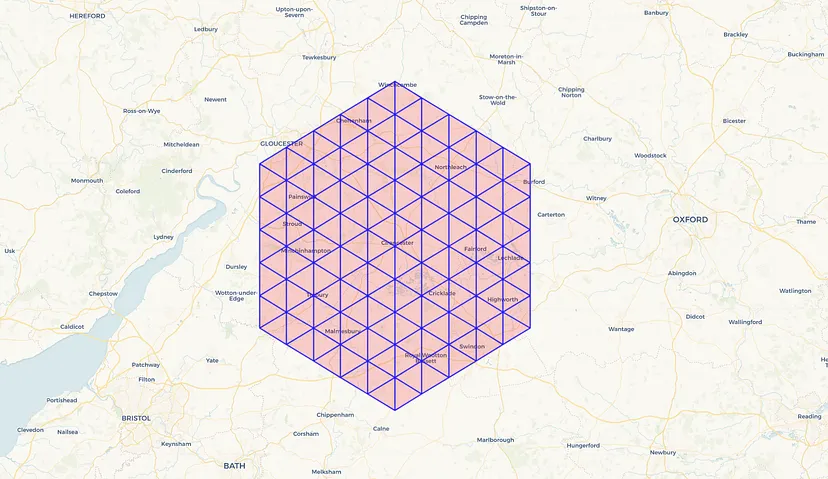
The most significant intellectual challenge was mapping real-world geographical coordinates to the 150 triangles in my hexagonal frame.
To solve this, I turned to Folium, a Python library normally used for creating interactive web maps. After some experimentation, I wrote a script that could generate my entire map based on a few key inputs:
- A central longitude and latitude coordinate.
- The desired "depth" (the number of concentric hexagonal rings).
- The "miles per degree longitude" for my region (in Gloucestershire, UK, it's about 45 miles).
- The side length of each triangle in miles.
I tweaked these values until I had a map that covered our hometown of Cirencester and both of our workplaces in nearby towns. The script outputs a list of 150 triangle objects, each defined by its vertices and centre point, perfectly matching my physical model.
The Data Flow
At the heart of the operation, the Raspberry Pi runs Node-RED to handle all the thinking. Think of Node-RED as a visual switchboard for nerds; instead of writing dense code, you connect functional blocks to create a "flow."
When a phone running OwnTracks sends out its location via MQTT, Node-RED springs into action. It throttles the updates to a maximum of one per minute to prevent overwhelming the system.
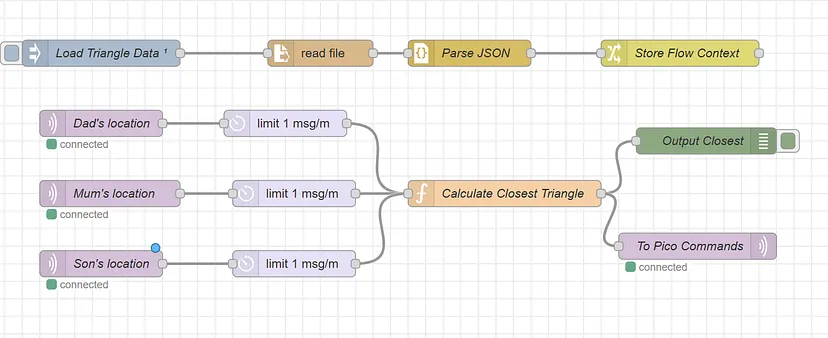
The real number-crunching happens in a custom Node-RED function. This is where AI came in handy. To calculate the distance between a phone's location and the centre of each of the 150 triangles, I needed to calculate the distance between two points on a sphere. I prompted an AI for the solution, and it provided the elegant haversine function — a far cry from the clumsy geometric mess I would have cobbled together myself.
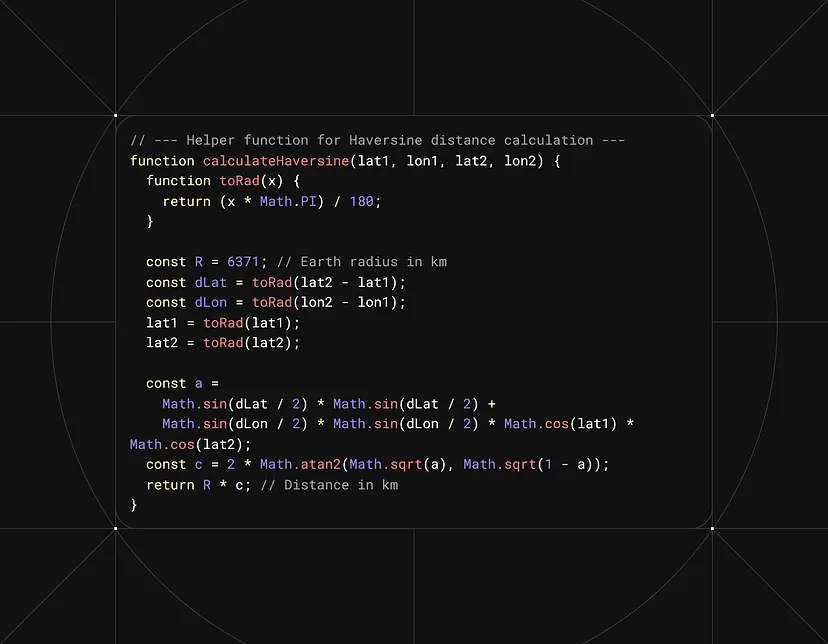
This function determines which triangle the person is in and sends the absolute minimum information required for the Pico to do its job.
Interestingly, while AI was a genius at complex math, it fell flat when I asked it to write the Circuit Python code for the Pico. The "elegant" AI-generated code was a pain to debug. In the end, my own beautifully clumsy and repetitive code was much clearer and won the day. It just goes to show that sometimes, clarity is king.
The Result: Subtle, Ambient, and Private
I couldn't be happier with how this project turned out. We now have a subtle, ambient tracker on the wall. An invasion of privacy? Absolutely… but one that gives whoever is home an instant, calming sense of where the rest of the family is, all without anyone getting lost in their phone.
We have a simple colour code: I'm red, my wife is green, and our son is blue. As we move around, our corresponding light gently pulses in the triangle representing our location.
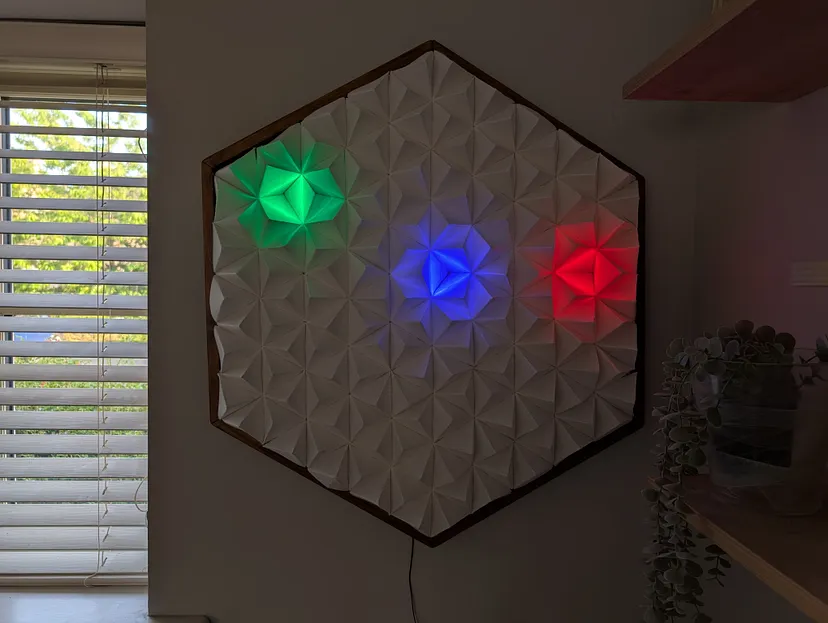
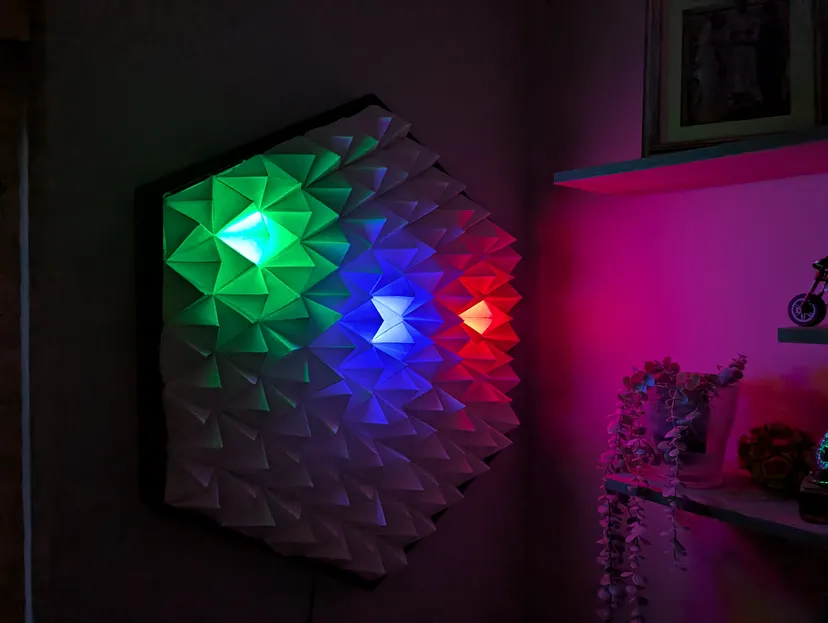
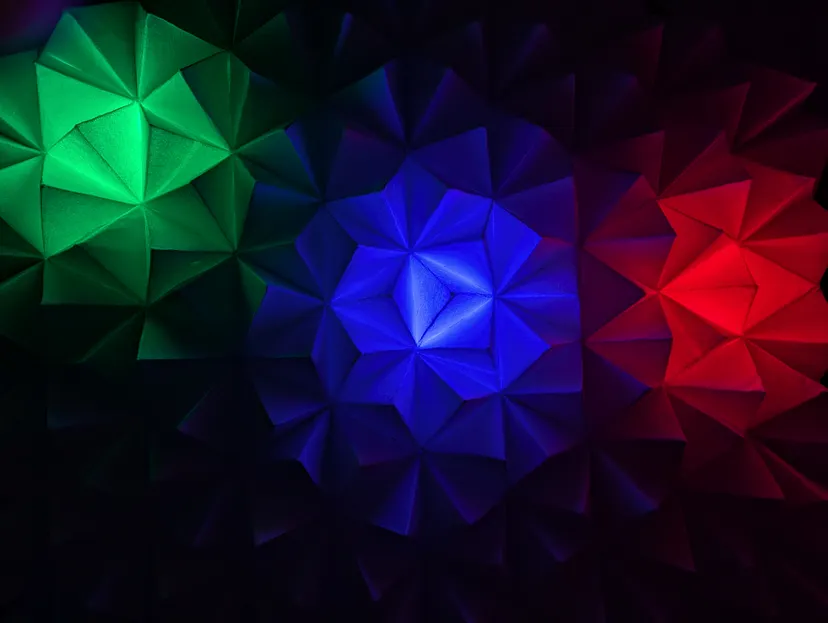
While the system can pull off some seriously jazzy 300-LED animations, I find myself preferring the understated effect. There's an elegance to watching a single light gently shift between the colours of the people in that location.
But the best party trick is when we are all home. The individual colours merge, and a central pyramid glows a clean, bright white. It's the perfect, minimalist signal that the whole team is back at base.

For a closer look at the Python, Circuit Python, and Node-RED code, you can find all the relevant links and repositories here. If this particular brand of aesthetic neuroticism is your sort of thing, consider following for more projects that blend technology, design, and family life.