A Raspberry Pi-powered Snapology Origami Sunrise Lamp, Night Light and Disco Ball
A creative sleep-trainer clock alternative using geodesic geometry, paper folding, and NeoPixel RGB LEDs
It’s a fairly common problem for kids to wake up and not know what time it is and so sleep trainer clocks like the one pictured below are also fairly common. Stars during the night and then Mr. Sunshine appears at a set time.
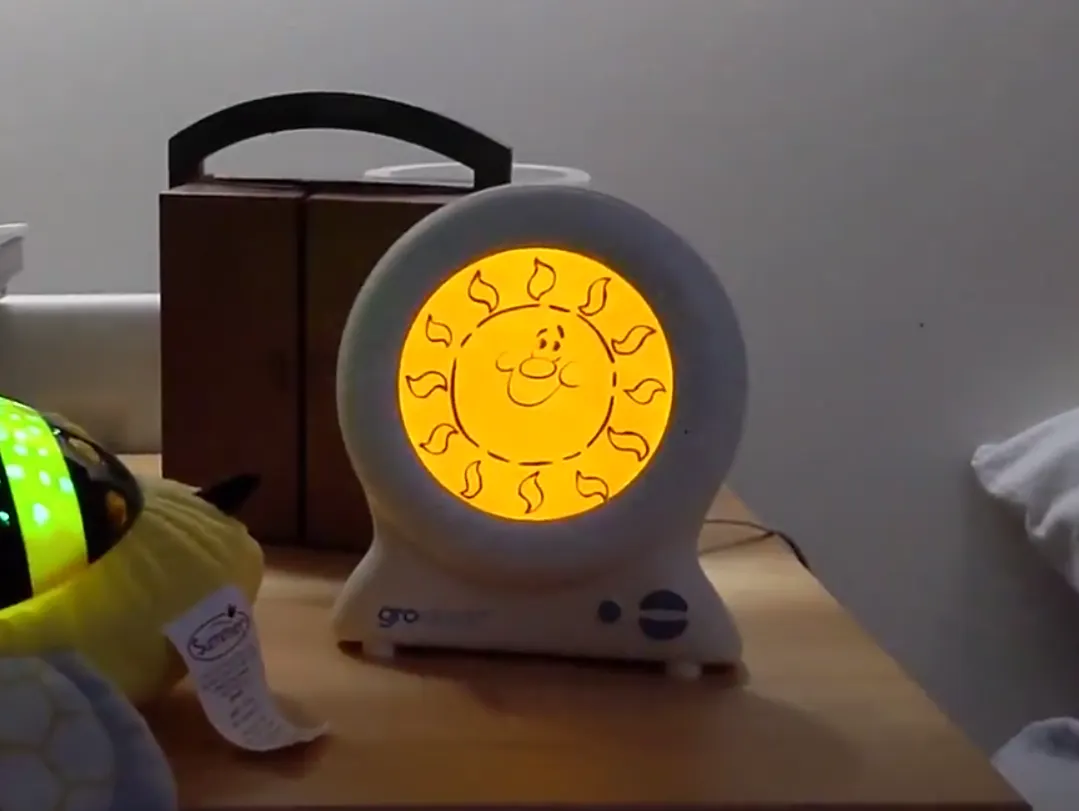
We were passed down two of these GRO clocks, which sit next to star projectors in each room. I've never got on with them. I find them a bit ugly, they are forever being disconnected and often show the wrong time.
I'd been curious for a while about Adafruit's vibrant NeoPixel LEDs, and had wondered if they could be combined with a more aesthetically pleasing approach to our endless pursuit for lie-ins beyond 5 am!
It was a comment on my Cardboard Planetarium video recommending Snapology Origami that sent me down a path to designing a lamp.
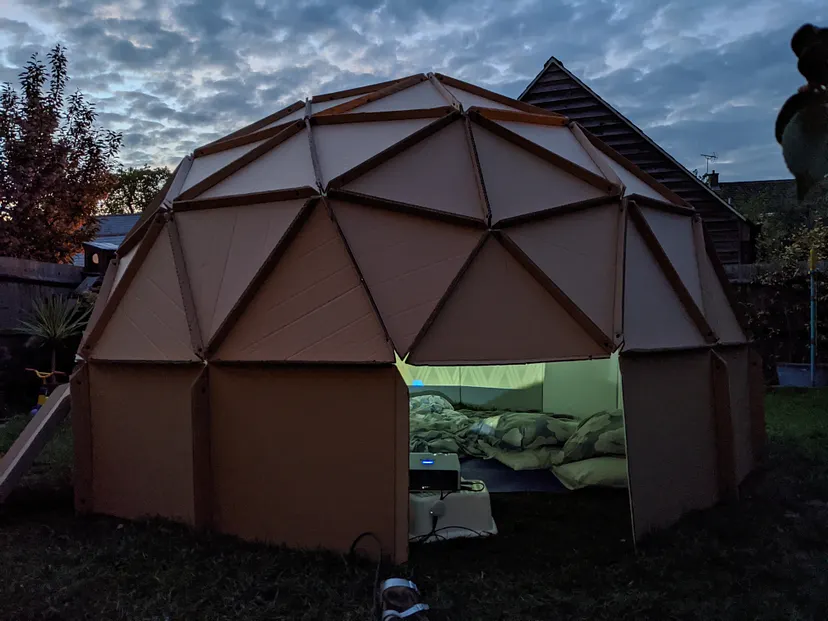
After Googling Snapology Origami I found myself happily down yet another Internet rabbit hole of discovery.
Most sources point to Heinz Strobl as the pioneer, and in his words Snapology Origami is:
A simple and cheap method to make convex polyhedra models.
Between his site, and that of Dave Honda, I discovered some pretty mesmerising designs and couldn’t help wondering what patterns of light would be thrown from a light source in the centre.
Essentially, strips of paper are folded into polygons then connected with further strips acting as connectors. No glue or other fixing methods required — just paper.
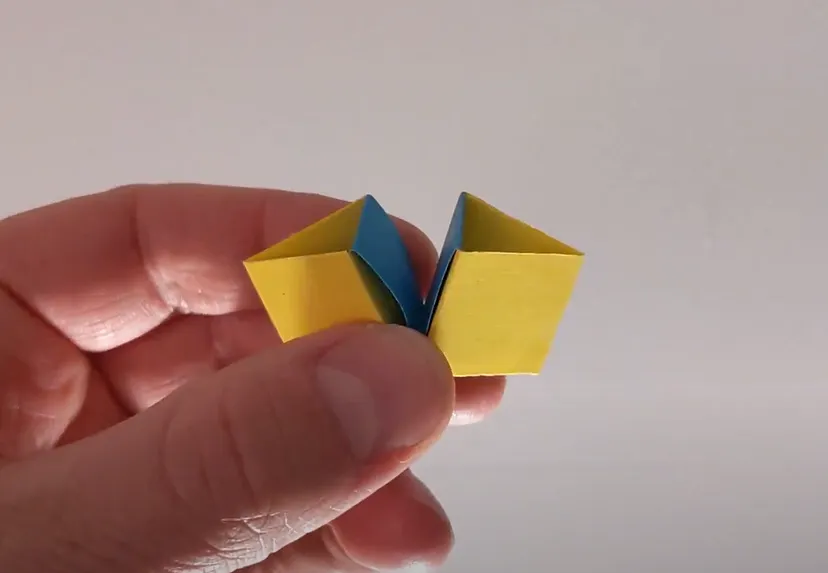
Before long, I was the proud creator of a multicoloured Icosahedron.

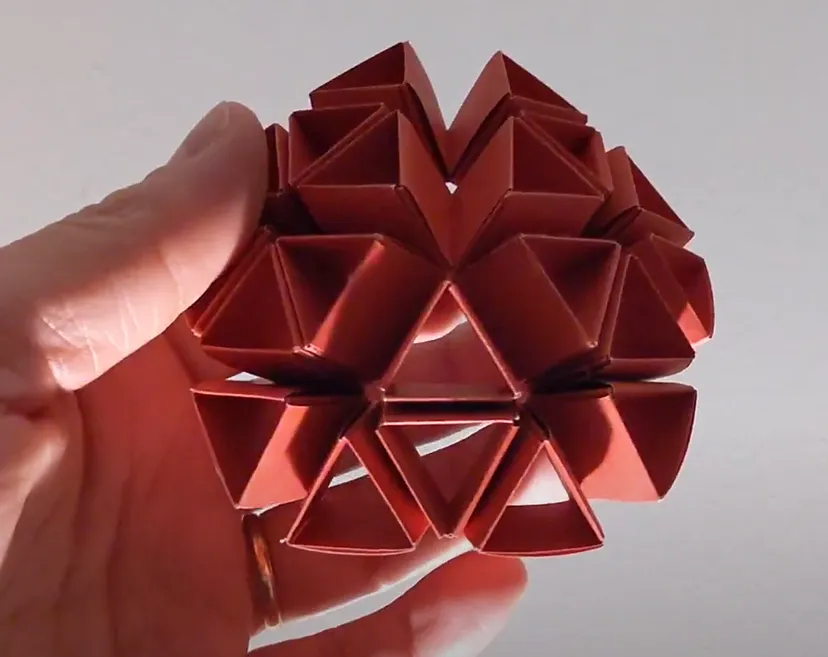
But it was with this model, apparently referred to as an icosidodecahedron, that I had a light bulb moment… of the literal kind.
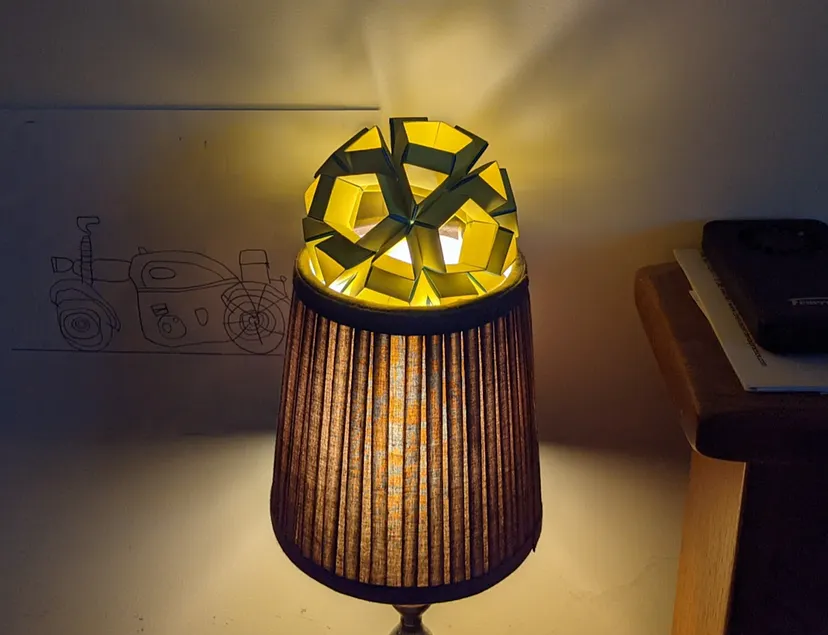
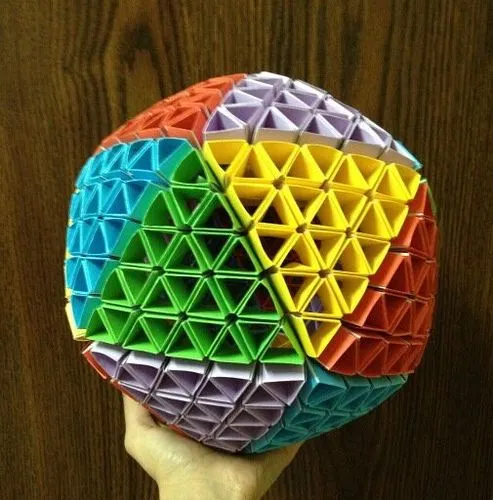
With a little further Googling, I came across this design by Ed Chew. He’d used recycled Tetrapak cartons to create a spherical lamp for which he won a design award. I was a little dubious about the authenticity of the light patterns shown but thought it would be cool to create something along the same lines and find out if I could get similar results. And as you will see, I needn’t have doubted the light and shadows created.
NeoPixel applications
I had read about and seen some interesting applications of Adafruit’s NeoPixels and understood them to be plenty bright enough. They come in all shapes and sizes and can be chained together. They can also be wired up individually or even sewn into fabric with conductive thread as shown here on Adafruit’s channel.
I couldn’t wait to see how they’d look inside a paper lamp.
My design
I began saving Tetrapak cartons, but after realising my wife would need to get through 400 litres of soya milk before I would have enough, I lost patience, headed to Tesco, and bought a bunch more coloured paper. I made a quick mock-up using equilateral folded triangles, and while the throw of light from my phone's LED gave a pleasing pattern, the channels around the pentagon pieces looked like chasms, which would diminish the spherical look I was going for.
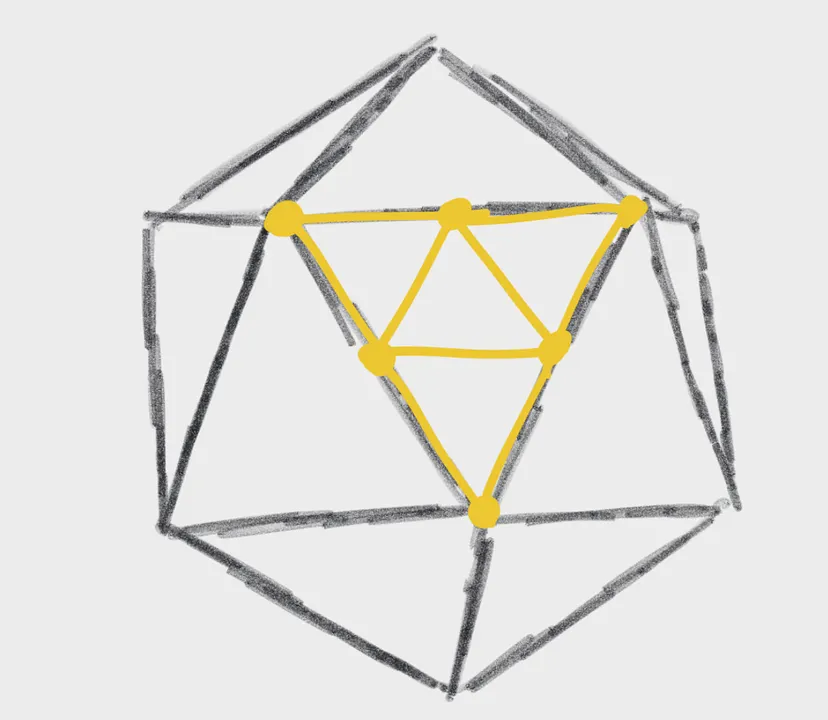
I’d learnt from my experiments with geodesic domes that at the heart of a geometric sphere is an icosahedron, a 20 sided shape comprised of equilateral triangular faces, each vertex being the meeting point of five edges. To give the faces their curve, each triangle is broken into smaller triangles with edges of various lengths. The smaller the triangles, the more spherical the look.
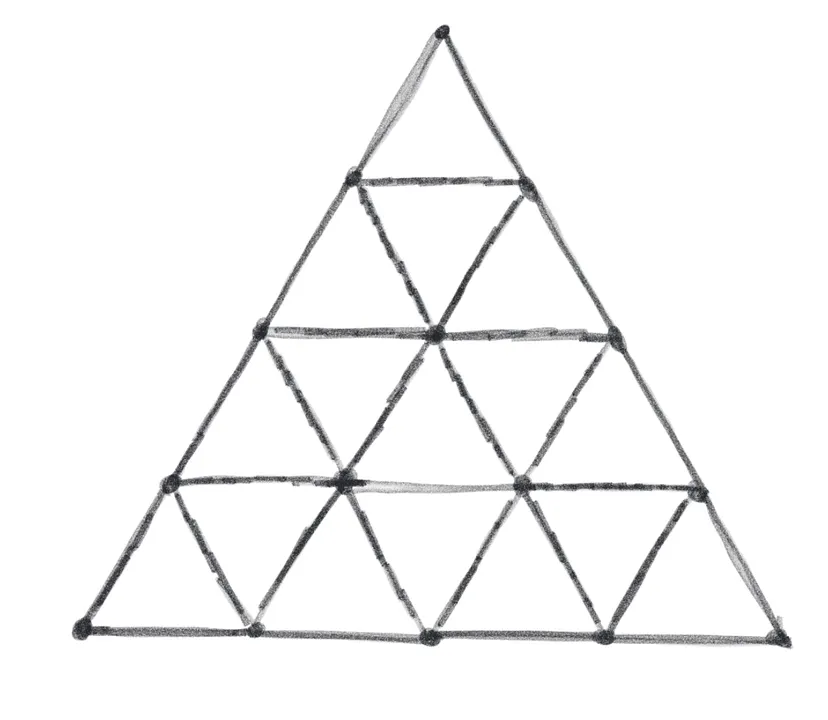
My geodesic prison, sun and earth, and my cardboard dome were all three frequency domes: there were three points between each vertex. Ed Chew's Tetrapak lamp was a massively complex six frequency sphere! For my lamp, I decided I would settle on a four frequency structure.
While using equilateral triangles could create funky designs like the one below, I was really going for as spherical a look as possible.
I used the same geodesic dome calculator I had previously used, which revealed that for a four frequency sphere I would in theory need six different lengths for edges of the inner triangles, but as that would be a nightmare to fold, I went for just two types of triangles: isosceles triangles for the vertices where pentagon pieces would form with two smaller edges, then equilateral triangles for everything else. According to the dome calculator this would make a sphere with a diameter of 15cm.
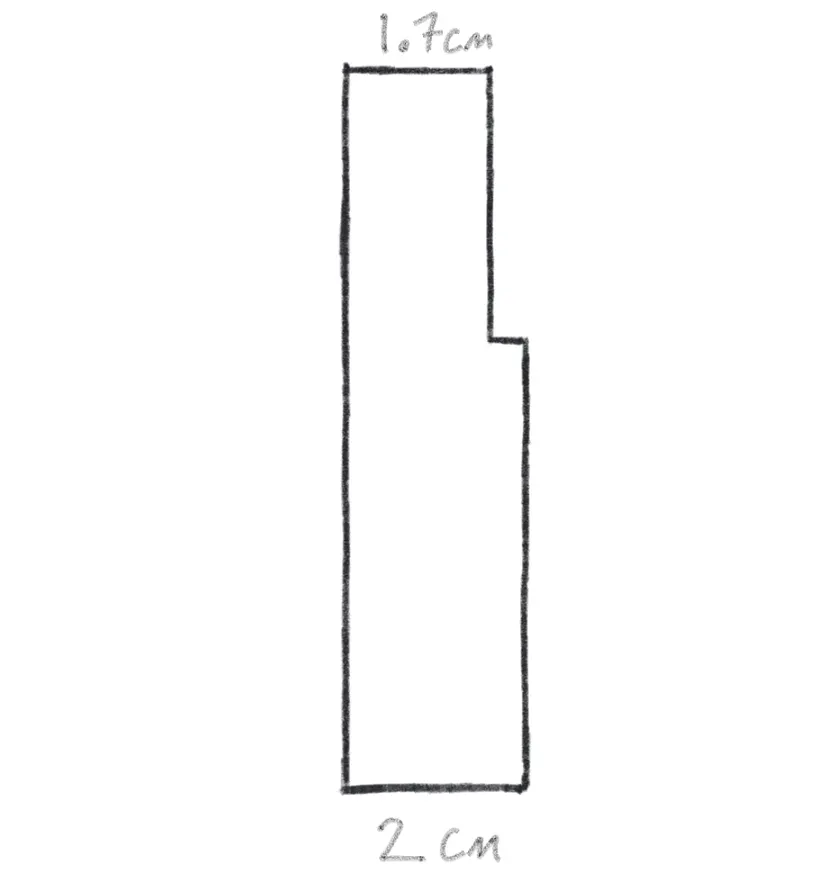
To create these pieces I folded my 2cm paper strips around a piece of thin cardboard with a smaller and wider end. The triangular pieces fold around six times to give each triangle a double wall. Each triangle connects to the next with a connector strip equivalent to four faces in length.
Now, I realise fans of Raspberry Pi and Adafruit might be feeling fatigued with all this talk of paper folding, so here is a quick look at some imaginary origami Python code.
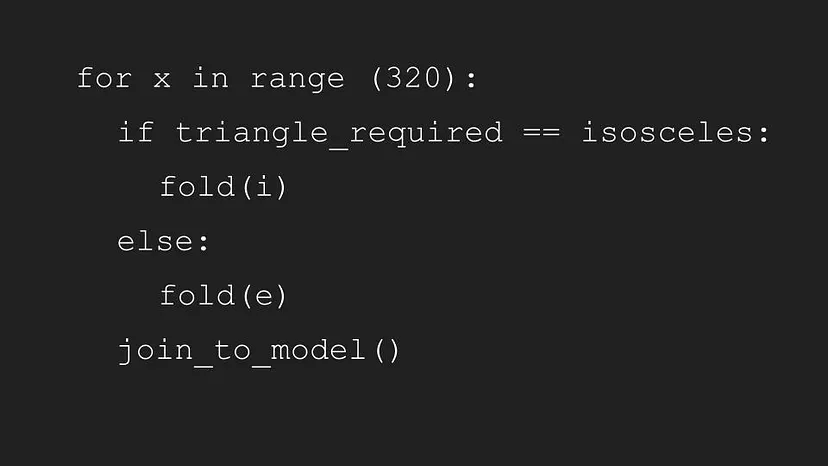
I deliberately didn’t work this out beforehand as I knew the numbers would be daunting, but each of the 20 faces was made of 16 smaller triangles, for a total of 320 triangles and over 600 connector pieces.
The truth is it was actually quite calming to assemble — I can recommend it if you are looking for a mindfulness-type activity, or you’re trying to give up smoking. I can even imagine a class full of kids folding away while listening to the teacher. Oh, the arguments though! ‘Sir, Johnny won’t give back my partially completed Rhombicuboctahedron!’ Well, it was a nice thing to do while sitting in front of the telly watching old episodes of Friends. A bit like knitting I imagine.
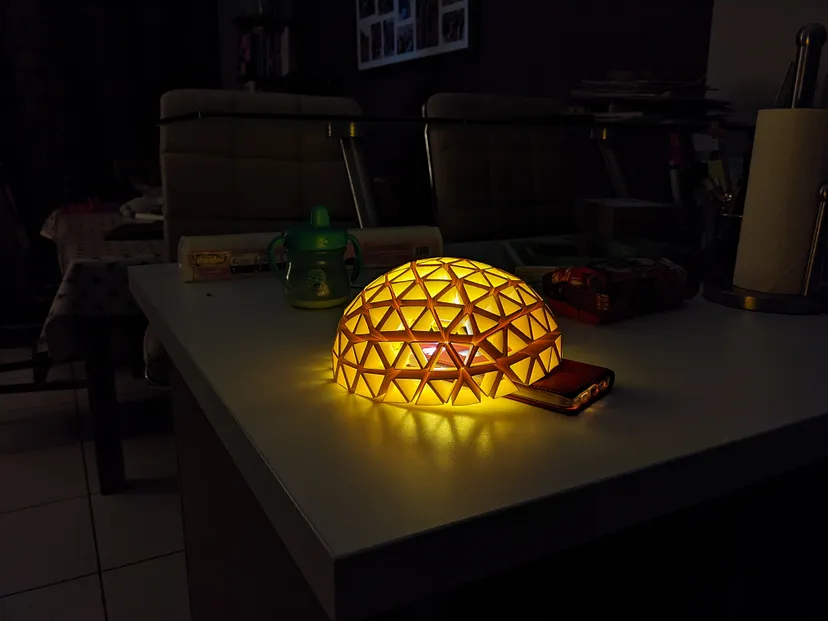
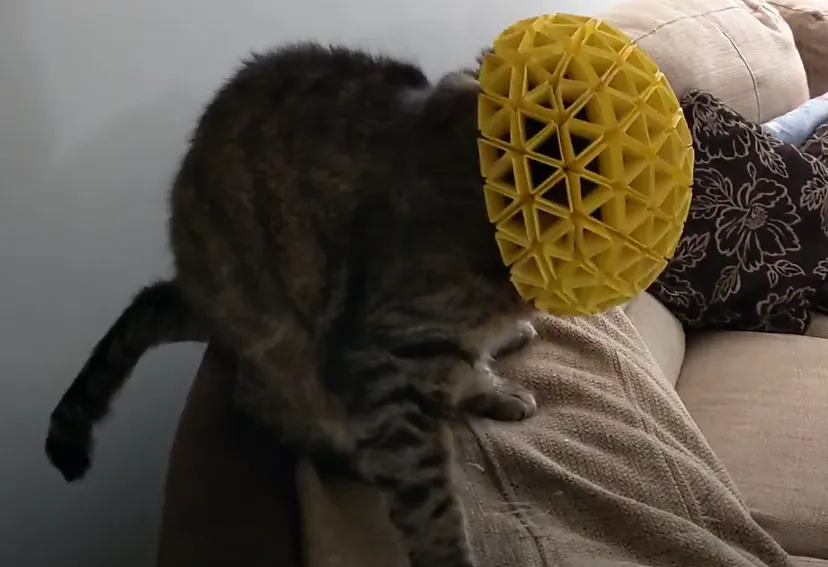
It really started to take shape and halfway through I was starting to get a sense of what it may look like with the NeoPixels shining through. Or what it would be like if Oscar cat were to take up fencing!
I bought a Raspberry Pi Zero W for £13, a plastic case for £3, and a NeoPixel Ring for £7. The ring has 12 RGB LEDs, which can be individually programmed. I also bought an SD card with NOOBS pre-installed and set it up using our lounge TV. Before long it was all connected and I was able to log in to it via SSH.
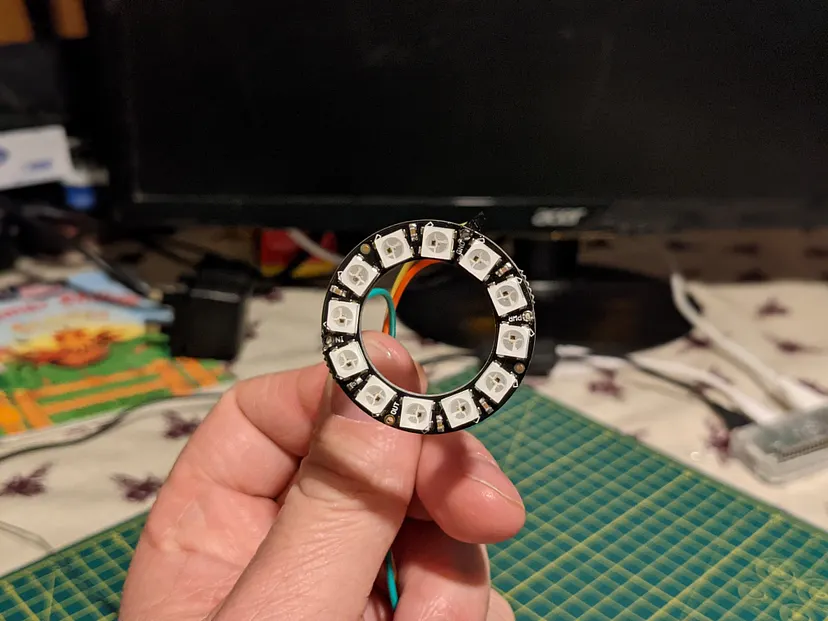
While the Raspberry Pi had the headers pre-soldered, there was no escaping the need to get the soldering iron out to connect the NeoPixel Ring to the jumper leads which I thankfully achieved without issue.
I followed tutorials on The Pi Hut and Adafruit websites to get the Pi up and running with CircuitPython, a version of Python designed for micro-controllers. Amazingly, this went without a hitch!
Once completed, it was relatively easy to get my “Hello world” on, or should I say get my “Hello Green”!
In a Python file, you just need to import board and neopixel, define a variable telling the Pi which pin you’ve connected to, the number of pixels, and the brightness level:
1import board2import neopixel3
4pixels = neopixel.NeoPixel(board.D18, 12, brightness=1)5
6# Fill all LEDs with a colour (e.g. full green!)7pixels.fill((0, 255, 0))8
9# Or specify one LED only (e.g. first pixel is blue)10pixels[0] = (0, 0, 255)
It was really satisfying to see the lights come on — I’d been a bit worried that I might need a second power source beyond the 5V that the Pi’s pin puts out, but with just 12 NeoPixels this wasn't a problem.
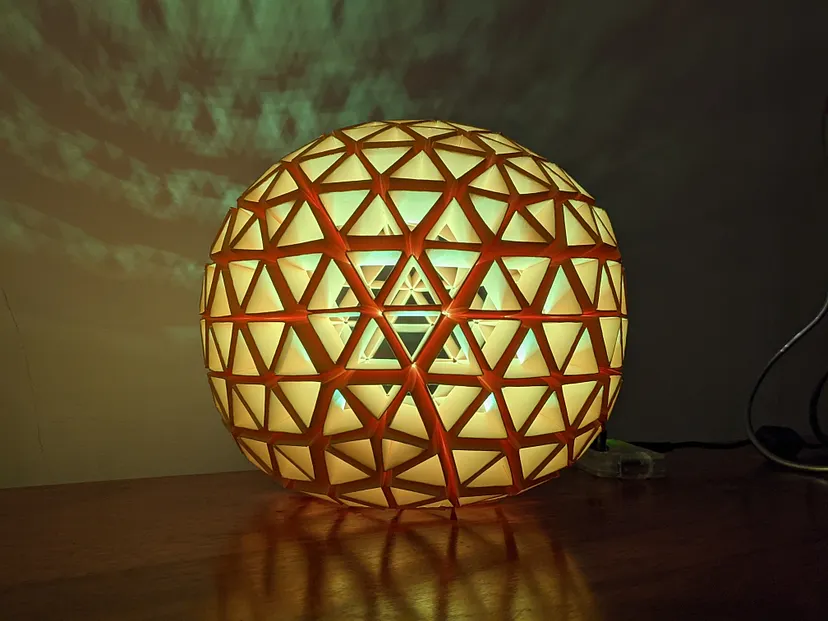
With previous Pi projects I coded directly on the Pi with a monitor plugged in. However, having a monitor next to the lamp on a shelf would have killed the look I was going for, so I quickly began editing the code using the JuiceSSH Android App on my phone, but as you can imagine this soon proved a bit piddly and problematic. As part of the setup process, I had run several wget commands, and so I thought perhaps I could just edit and host the python files on my own website, and wget them over to the Pi. So that’s what I ended up doing, using the CodeTasty web IDE on my Chromebook.
With 12 LEDs and 16 million colour combinations, the possibilities were endless and before long I had coded a few sequences and had managed to sit the NeoPixel ring in the base of the lamp.
I had two programs to substitute for the GRO clock day and night settings:
Goodbye Mr. Sunshine
A drifting-off program which slowly dims from full blue, and then remains at a low level as a night light:
1def goodbye_mr_sunshine():2    for x in range(5, 256, 5):3        brightness = 256 - x4        print(brightness)5        for y in range(12):6            pixels[y] = (0, 0, brightness)7        time.sleep(0.5)8        print(y)9
10goodbye_mr_sunshine()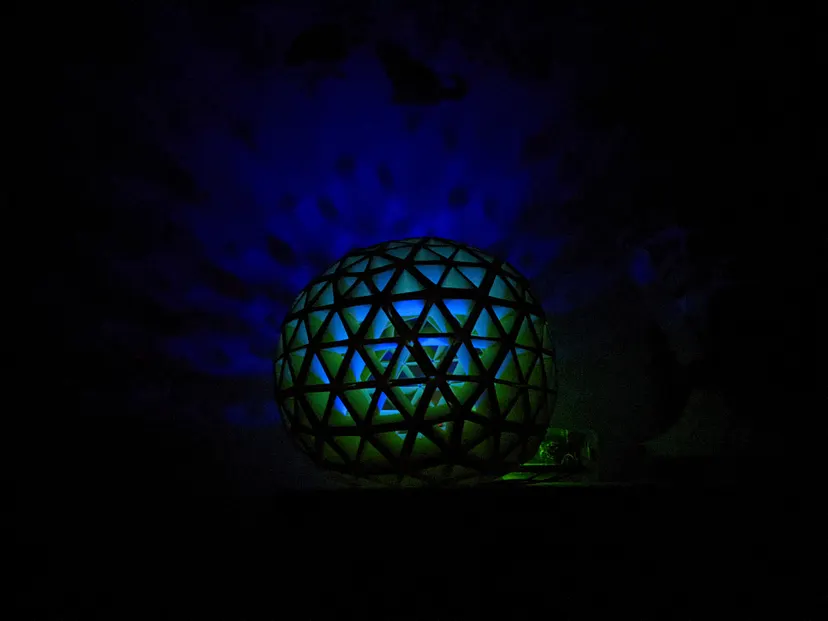
Hello Mr. Sunshine
Mr. Sunshine slowly warms up to full brightness at a scheduled time in the morning:
1pixels = neopixel.NeoPixel(board.D18, 12)2
3def hello_mr_sunshine():4    for x in range(5, 256, 5):5        print(x)6        for y in range(12):7            pixels[y] = (x, x, 0)8        time.sleep(0.1)9        print(y)10
11hello_mr_sunshine()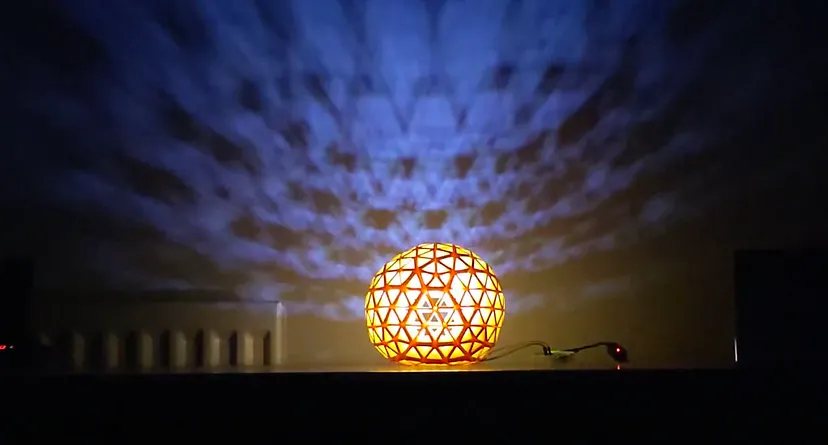
To get these programs to run remotely I first considered whether I could have the Pi broadcast its own Wi-Fi network, for a device to join, and then somehow control the lamp.
In the end, I wrote a program selector Python script which checks a JSON file on my site to see if the program status has changed. A super simple webform sets the program by passing its name to the JSON file through a URL variable and a PHP script:
1import urllib.request2import datetime3import time4import json5import re6import mechanize7import psutil8import os9
10url = 'https://reveleigh.com/lamp/sunshine-lamp/alarm.json'11req = urllib.request.Request(url)12r = urllib.request.urlopen(req).read()13cont = json.loads(r.decode('utf-8'))14h = cont["hour"]15m = cont["minute"]16
17# Get times info18now = datetime.datetime.now()19alarm = now.replace(hour=h, minute=m, second=0, microsecond=0)20alarmEnd = alarm.replace(hour=h, minute=m+5, second=0, microsecond=0)21alarmReset = alarm.replace(hour=h, minute=m+10, second=0, microsecond=0)22
23# Killing process function24def killAllButParent():25    for proc in psutil.process_iter():26        pinfo = proc.as_dict(attrs=['pid', 'name'])27        procname = str(pinfo['name'])28        procpid = str(pinfo['pid'])29        if "python" in procname and procpid != str(os.getpid()):30            print("Stopped Python Process ", proc)31            proc.kill()32
33# Is it time to wake up?34if now > alarm and now < alarmEnd:35    # If alarm is inactive run alarm36    try:37        url = 'https://reveleigh.com/lamp/sunshine-lamp/alarm-status.json'38        req = urllib.request.Request(url)39        r = urllib.request.urlopen(req).read()40        cont = json.loads(r.decode('utf-8'))41        print(cont["status"])42        if cont["status"] == "I":43            br = mechanize.Browser()44            br.open("https://reveleigh.com/lamp/sunshine-lamp/alarm.php?a=A")45            killAllButParent()46            import morning47    except:48        print("An alarm error occurred")49else:50    try:51        url = 'https://reveleigh.com/lamp/sunshine-lamp/program.json'52        req = urllib.request.Request(url)53        r = urllib.request.urlopen(req).read()54        cont = json.loads(r.decode('utf-8'))55        br = mechanize.Browser()56        # Stop other Python processes if not clear57        if cont["program"] != "Clear":58            killAllButParent()59        print(cont["program"])60        if cont["program"] == "Off":61            br.open("https://reveleigh.com/lamp/sunshine-lamp/program-select.php?p=Clear")62            import off63        elif cont["program"] == "Morning":64            br.open("https://reveleigh.com/lamp/sunshine-lamp/program-select.php?p=Clear")65            import morning66        elif cont["program"] == "Drifting":67            br.open("https://reveleigh.com/lamp/sunshine-lamp/program-select.php?p=Clear")68            import drifting69        elif cont["program"] == "Maze of Triangles":70            br.open("https://reveleigh.com/lamp/sunshine-lamp/program-select.php?p=Clear")71            import random_triangle72        elif cont["program"] == "Vortex":73            br.open("https://reveleigh.com/lamp/sunshine-lamp/program-select.php?p=Clear")74            import single_dance75        elif cont["program"] == "Shimmer":76            br.open("https://reveleigh.com/lamp/sunshine-lamp/program-select.php?p=Clear")77            import shimmer78        elif cont["program"] == "Colour Wheel":79            br.open("https://reveleigh.com/lamp/sunshine-lamp/program-select.php?p=Clear")80            import colour_pulse81        elif cont["program"] == "Reboot":82            br.open("https://reveleigh.com/lamp/sunshine-lamp/program-select.php?p=Clear")83            import reboot84        elif cont["program"] == "Shutdown":85            br.open("https://reveleigh.com/lamp/sunshine-lamp/program-select.php?p=Clear")86            import shutdown87        else:88            print("Clear")89    except:90        print("A light exception occurred")91
92# Set the alarm to inactive93if now > alarmEnd and now < alarmReset:94    br = mechanize.Browser()95    br.open("https://reveleigh.com/lamp/sunshine-lamp/alarm.php?a=I")
Finally, I used the crontab file on the Pi to schedule the program selector script to run once a minute, which felt a bit strange if I’m honest:
* * * * * python3 /home/pi/program-selector.pyI know it’s just a computer, but it seemed odd to think about a lamp checking my site over a thousand times a day — would my web server get irritated? Would my web server do whatever the web server equivalent of shouting “Shut up” is? Perhaps I could start serving the lamp some adverts — for filament enlargement kits, say.
As well as being a bit of fun, the lamp has worked a treat as a morning sunrise light. The message is clear: if it’s yellow, let it mellow, if it’s brown, flush it down. Wait. That is not it. Well, if it’s night, it will be blue so stay in bed, yellow means get up and, as it fades in, it’s a gentle wake-up call without any retinas being fried.
I’m definitely going to be playing around with NeoPixels in the future. I’d love to put them in a quilt — maybe a quilt alarm clock, or a light-up quilted fraction wall for the classroom. Or a Snapology moon with phases perhaps. Or a beacon that lights up every time the International Space Station passes over. Or when there’s a tweet by Elon Musk. Or when the vehicle behind gets too close.
Bringing geometric polyhedra into textile form with 180 LEDs and music synchronisation
If you’ve enjoyed reading about this project, please consider following me on Medium or subscribing to my YouTube Channel.